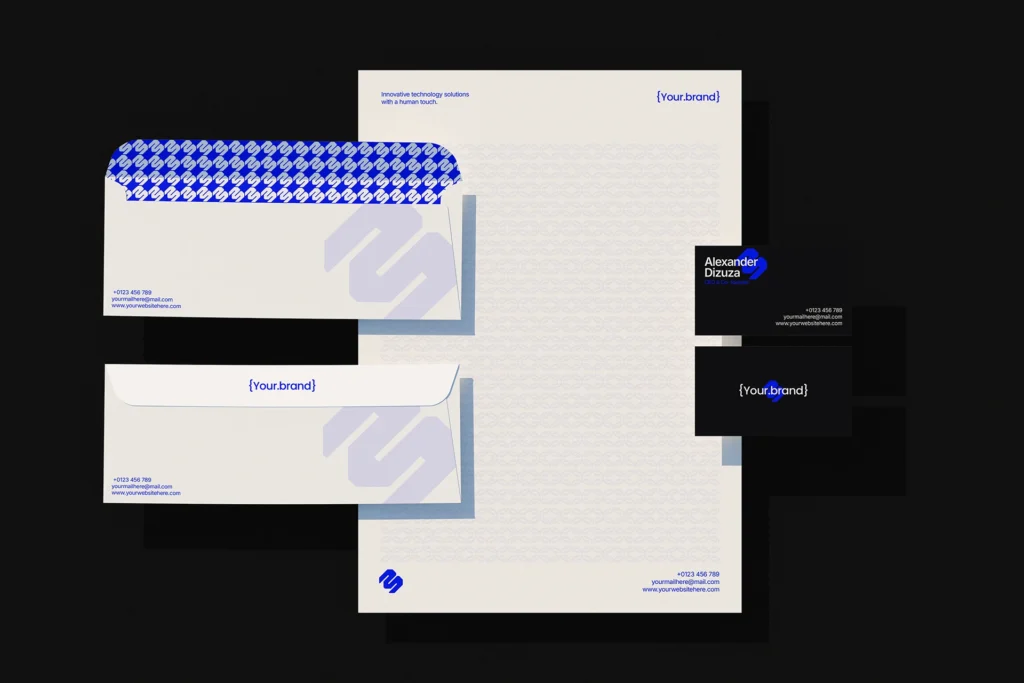
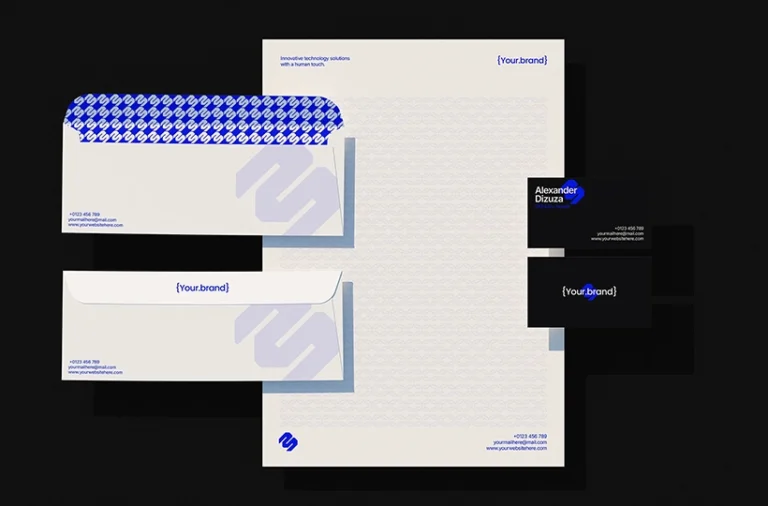
Present your brand identity with this free corporate stationery mockup featuring letterheads, envelopes, and business cards. The complete stationery set gives you a simple way to showcase your logo, typography, and business details across different printed materials.
About This Mockup :
This minimal corporate stationery mockup features a collection of printed business materials arranged together in a clean layout. The set includes a letterhead, two envelopes, and two business cards, giving you a view of how the same brand identity can work across different stationery items. Each piece has its own space for logos, contact details, and other brand elements.
Use this corporate branding stationery mockup to present company logos, business identities, and professional stationery designs. You can showcase your branding across letterheads, envelope layouts, and business cards in one presentation. Seeing all the items together also helps show how the same design style connects different parts of a company’s identity.
This business stationery set mockup is useful for graphic designers, branding studios, and businesses creating a new visual identity. Use it for client presentations, brand identity projects, and design portfolios where you want to show a complete stationery system rather than a single printed item.
Free for personal & commercial use · No attribution required
Note:MockupShelf.com is completely free to use, with no hidden charges or redirects. The site is supported by ads, so if you enjoy our resources, please consider disabling your ad blocker to help keep us alive.
Get notified about new mockups, premium bundles, free resources, and product updates. No spam
You May Also Like
Frequently Asked Questions
Basic download questions, file expectations and preview-related answers.
Is this mockup free to download?
Yes, this mockup is completely free to download. No sign-up, no account, and no hidden fees required.
What software do I need to edit this mockup?
You need Adobe Photoshop to open and edit the PSD file. Alternatively, you can use Photopea, a free browser-based editor that fully supports PSD Smart Objects.
How do I add my design to this mockup?
Open the PSD file, find the Smart Object layer labeled “Your Design Here,” double-click it, paste your artwork, and save. Your design will appear automatically inside the mockup scene.
Can I use this mockup for commercial projects?
Yes. All mockups on MockupShelf are free for both personal and commercial use with no attribution required.
Do I need to create an account to download?
No. Every mockup on MockupShelf is available for direct download with no account or sign-up needed.
Can I edit the background color of this mockup?
Yes. Open the PSD file and locate the Background layer — double-click the color swatch to change it to any color that suits your project.